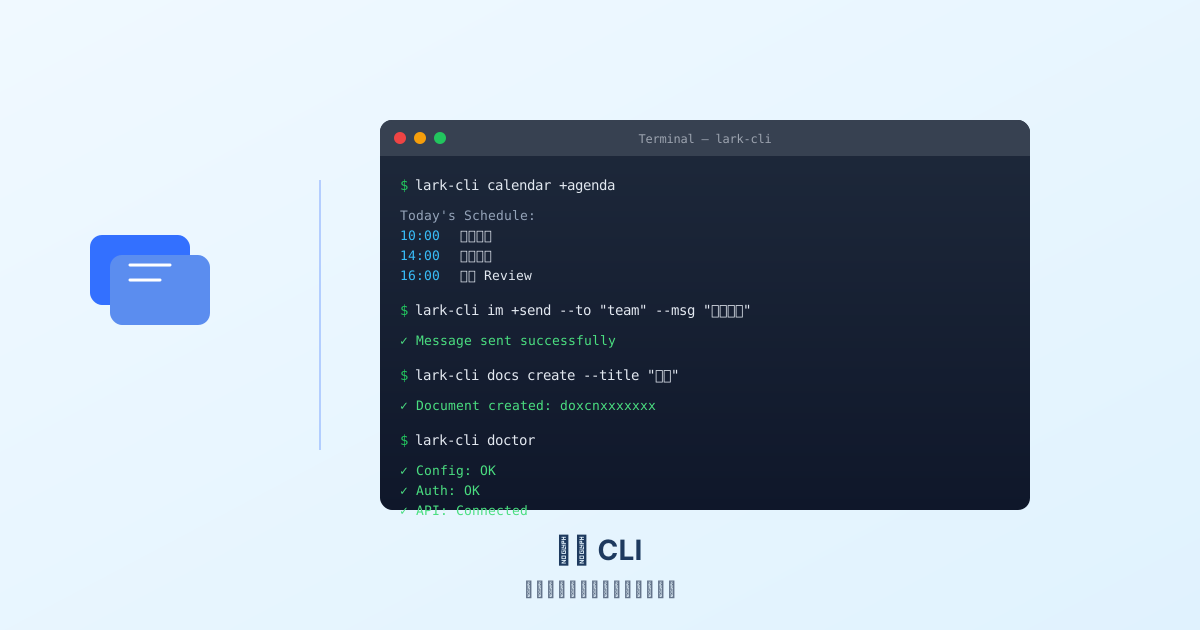
你有没有想过,在终端里就能发飞书消息、查日程、管理文档?
飞书官方推出了 lark-cli,一个基于命令行的飞书管理工具。它不仅能让你在终端里完成日常操作,还能和 AI Agent 集成,实现自动化工作流。
一、lark-cli 是什么
lark-cli 是飞书官方开源的命令行工具,用 Rust 编写,支持飞书开放平台的绝大部分 API。
核心能力:
- 消息收发(IM)
- 日历管理
- 文档操作(Docs、Sheets、Slides)
- 云盘文件管理
- 通讯录查询
- 审批流程
- 视频会议
- OKR 管理
- …
一句话概括:飞书 App 能做的事,lark-cli 基本都能做。
二、安装与配置
安装
1
2
3
4
5
6
7
8
|
curl -fsSL https://raw.githubusercontent.com/larksuite/cli/main/scripts/install.sh | bash
iwr -useb https://raw.githubusercontent.com/larksuite/cli/main/scripts/install.ps1 | iex
npm install -g @anthropic-ai/lark-cli
|
配置认证
1
2
3
4
5
6
|
lark-cli config init
export LARK_APP_ID="your_app_id"
export LARK_APP_SECRET="your_app_secret"
|
配置完成后,运行健康检查:
三、常用命令速查
3.1 消息管理
1
2
3
4
5
6
7
8
9
10
11
|
lark-cli im +send --to "user@example.com" --msg "Hello from CLI!"
lark-cli im +send --to "oc_xxxxx" --msg "团队通知"
lark-cli im +send --to "user@example.com" --msg "**加粗** _斜体_ [链接](https://example.com)"
lark-cli im messages list --params '{"container_id_type":"chat","container_id":"oc_xxxxx"}'
|
3.2 日历管理
1
2
3
4
5
6
7
8
9
10
11
12
13
14
15
16
|
lark-cli calendar +agenda
lark-cli calendar events instance_view --params '{
"calendar_id": "primary",
"start_time": "1700000000",
"end_time": "1700086400"
}'
lark-cli calendar events create --data '{
"summary": "周会",
"start_time": {"timestamp": "1700000000"},
"end_time": {"timestamp": "1700003600"}
}'
|
3.3 文档操作
1
2
3
4
5
6
7
8
9
10
11
12
|
lark-cli docs create --title "新文档" --content "# Hello World"
lark-cli docs get --document_id "doxcnxxxxxxx"
lark-cli docs update --document_id "doxcnxxxxxxx" --content "新内容"
lark-cli markdown create --file "notes.md" --folder "fldcnxxxxxxx"
lark-cli markdown fetch --file_token "xxxxxxx"
|
3.4 云盘管理
1
2
3
4
5
6
7
8
9
10
11
|
lark-cli drive files list --params '{"folder_token":"fldcnxxxxxxx"}'
lark-cli drive upload --file "./report.pdf" --folder "fldcnxxxxxxx"
lark-cli drive download --file_token "xxxxxxx" --output "./downloads/"
lark-cli drive comments add --file_token "xxxxxxx" --content "这个报告需要修改"
|
3.5 通讯录查询
1
2
3
4
5
6
7
8
|
lark-cli contact +search-user --query "张三"
lark-cli contact users get --user_id "ou_xxxxxxx"
lark-cli contact users list --department_id "od_xxxxxxx"
|
3.6 通用 API
对于 lark-cli 没有封装的 API,可以直接调用:
1
2
3
4
5
6
7
8
9
|
lark-cli api GET /open-apis/calendar/v4/calendars
lark-cli api POST /open-apis/im/v1/messages --data '{
"receive_id": "oc_xxxxx",
"msg_type": "text",
"content": "{\"text\":\"Hello\"}"
}'
|
四、实战场景
场景 1:每日工作日志自动汇总
1
2
3
4
5
6
7
8
9
10
11
12
13
14
15
16
17
18
19
20
21
22
| #!/bin/bash
TODAY=$(date +%Y-%m-%d)
COMMITS=$(git log --since="today" --oneline --all)
EVENTS=$(lark-cli calendar +agenda --date "$TODAY")
# 汇总并发送到飞书文档
LOG="# $TODAY 工作日志
$COMMITS
$EVENTS"
echo "$LOG" | lark-cli markdown update --file_token "xxxxxxx" --mode append
|
场景 2:CI/CD 完成通知
1
2
3
4
5
6
|
- name: Notify Feishu
run: |
lark-cli im +send \
--to "oc_xxxxx" \
--msg "✅ 构建完成!\n\n分支: ${{ github.ref }}\n提交: ${{ github.sha }}"
|
场景 3:定时提醒
1
2
3
4
5
6
7
8
|
lark-cli im +send \
--to "ou_xxxxx" \
--msg "📋 周一提醒:请填写周报!"
|
五、与 AI Agent 集成
lark-cli 最强大的地方在于它可以和 AI Agent 无缝集成。
5.1 Agent Skills
飞书官方提供了 Agent Skills,让 AI 助手能够直接调用飞书 API:
1
2
3
4
5
6
7
|
npx skills add larksuite/cli -g -y
npx skills add larksuite/cli -s lark-calendar -y
npx skills add larksuite/cli -s lark-im -y
npx skills add larksuite/cli -s lark-docs -y
|
5.2 在 Hermes Agent 中使用
如果你使用 Hermes Agent,可以直接在配置中添加飞书 MCP 服务器:
1
2
3
4
5
6
7
| mcp_servers:
feishu:
command: npx
args: ["-y", "@anthropic-ai/lark-mcp"]
env:
LARK_APP_ID: "your_app_id"
LARK_APP_SECRET: "your_app_secret"
|
这样你就可以用自然语言操作飞书了:
“帮我查一下明天的日程”
“给张三发一条消息,说明天开会”
“把这份报告上传到项目文件夹”
六、进阶技巧
6.1 使用 Profile 管理多账号
1
2
3
4
5
6
7
8
9
10
|
lark-cli profile create work
lark-cli config init --profile work
lark-cli profile create personal
lark-cli config init --profile personal
lark-cli calendar +agenda --profile work
|
6.2 JSON 输出与管道
1
2
3
4
5
|
lark-cli calendar +agenda --format json | jq '.events[] | .summary'
lark-cli contact +search-user --query "张三" --format json | jq '.users[0].open_id'
|
6.3 错误处理
1
2
3
4
5
|
lark-cli im +send --to "invalid" --msg "test" 2>&1 | tee error.log
lark-cli doctor
|
七、为什么选择 CLI
你可能会问:飞书有网页版、桌面端、移动端,为什么还要用 CLI?
1. 速度
终端操作不需要加载 UI,响应更快。
2. 自动化
CLI 天然适合脚本化,可以轻松集成到 CI/CD、cron 任务中。
3. 远程友好
SSH 到服务器后,CLI 是唯一的选择。
4. AI 友好
Agent 可以直接调用 CLI 命令,实现自然语言操作。
5. 专注
不用在多个 App 之间切换,终端就是你的统一入口。
八、总结
lark-cli 是飞书生态的重要补充,它让飞书从一个“App”变成了一个“平台”。无论是日常效率提升,还是自动化工作流,CLI 都能发挥独特的作用。
如果你是:
- 终端重度用户
- 需要自动化飞书操作
- 正在搭建 AI Agent
- 喜欢用键盘而不是鼠标
那么 lark-cli 值得一试。
参考资料: